6 Top LoRAs for Z Image Base/Turbo
Z Image models have become a staple for creators looking to generate high-quality images quickly. With numerous LoRAs available, it can be challenging to determine which ones are truly worth using. In this article, I will share my findings from testing 10 popular LoRAs for Z Image Turbo and Z Image Base. I’ll also provide comparisons, practical recommendations, and workflow tips to help you make the most of these tools.
YouTube Tutorial:
Gain exclusive access to advanced ComfyUI workflows and resources by joining our community now!
Understanding Z Image Models and LoRAs
Z Image models come in two main versions: Turbo and Base.
- Z Image Turbo: Optimized for image quality, but often produces less varied results.
- Z Image Base: More creative outputs.
LoRAs are additional model adaptations that enhance Z Image models by:
- Speeding up image generation.
- Allowing creative control over composition and style.
- Modifying aspects like lighting, camera angles, and artistic effects.
Recommended LoRAs for Speed and Efficiency
Z Image Fun LoRA Distill Series
The Fun LoRA Distill series is designed to accelerate image generation. It includes:
- 2 Steps LoRA
- 4 Steps LoRA
- 8 Steps LoRA
Recommendation: The 2 Steps LoRA provides the largest speed boost and is especially effective with Z Image Base.
Performance on Z Image Turbo vs. Z Image Base
The Distill LoRA behaves differently depending on the model:
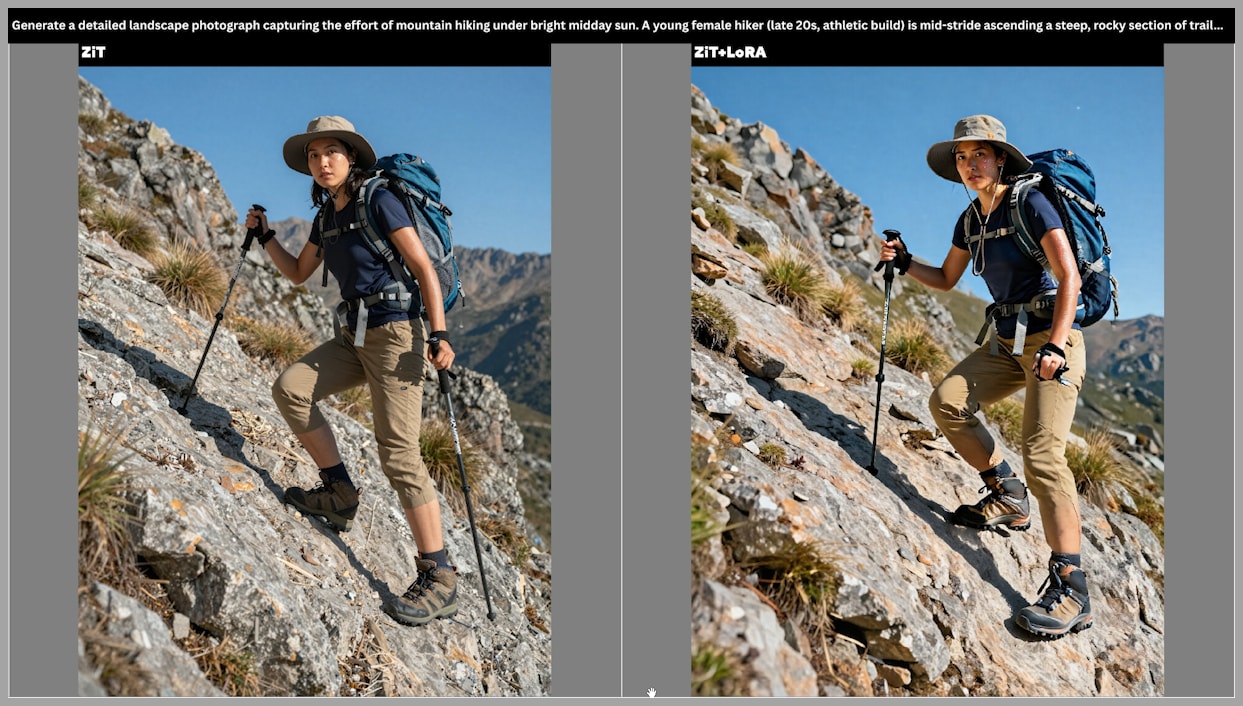
- With Z Image Turbo:
- Reduces sampling steps from 8 to 2.
- Quality loss is noticeable: smoother textures, missing fine details, and finger artifacts.
- Verdict: Not recommended if your priority is image fidelity.
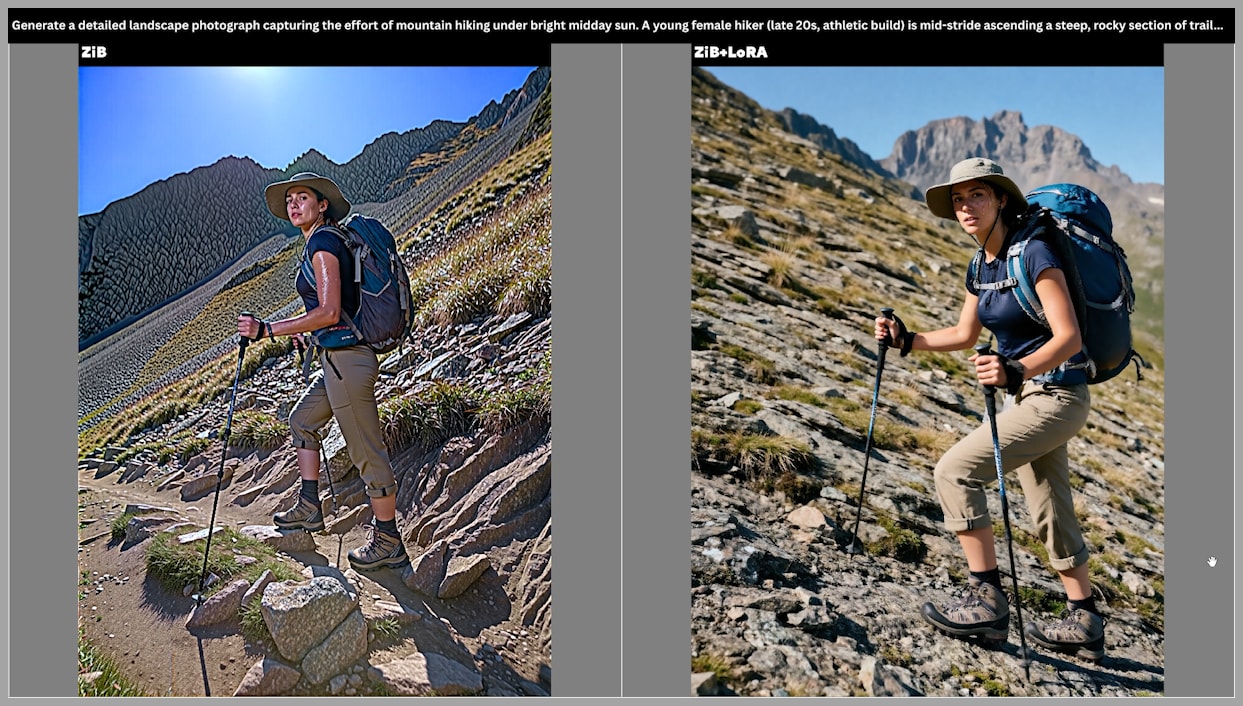
- With Z Image Base:
- Dramatic speed-up with minimal or even improved quality in some cases.
- Fingers and fine details remain correct.
- Workflow tip: Generate a rough image with Base + Distill LoRA, then refine with Turbo for the best of both worlds.
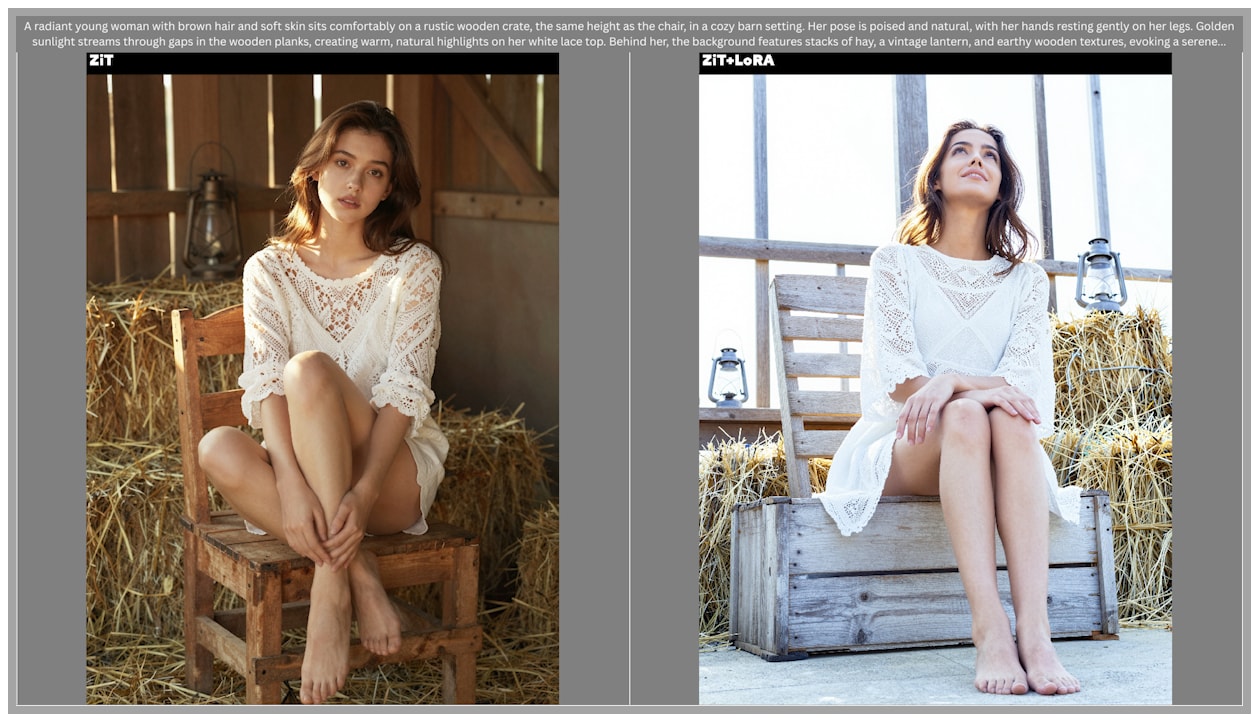
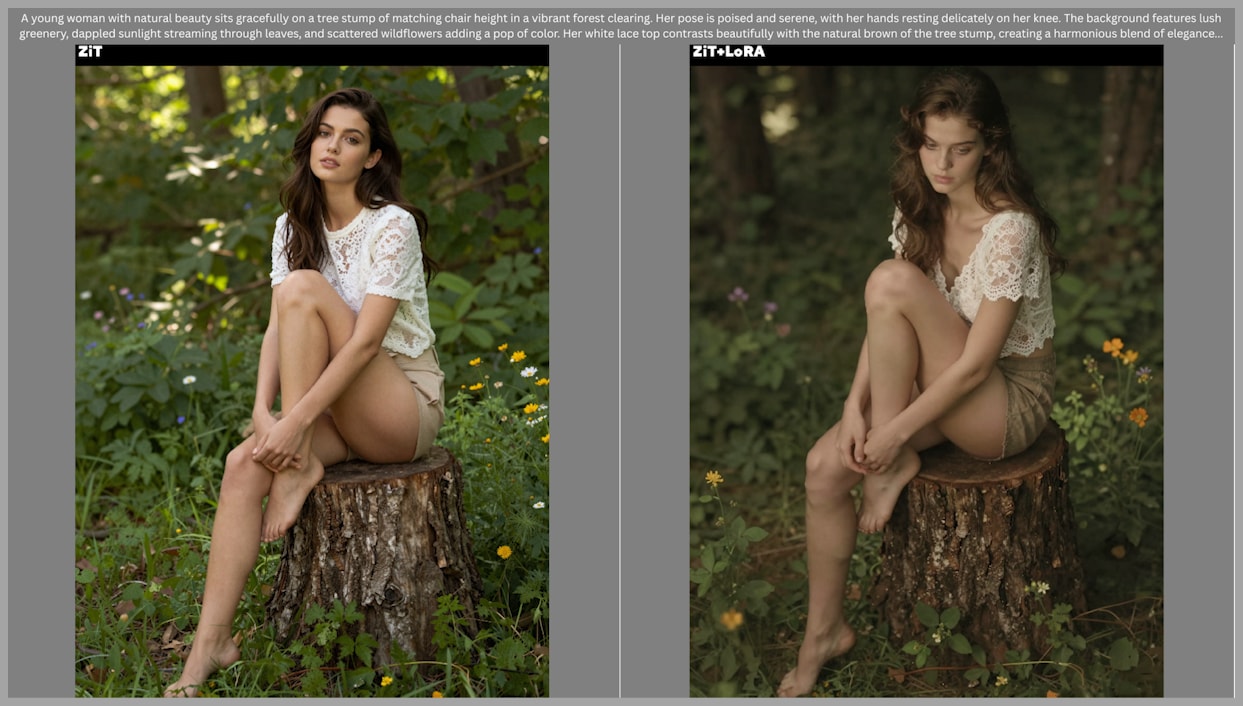
LoRAs for Creative Control: PhotoBox Series
The PhotoBox series includes slider LoRAs that give precise control over image attributes:
Angle LoRAs
- Control camera angle: low to high perspectives.
- Adjust strength to fine-tune the effect.
- Example: Negative strength = photographed from below, positive = from above.
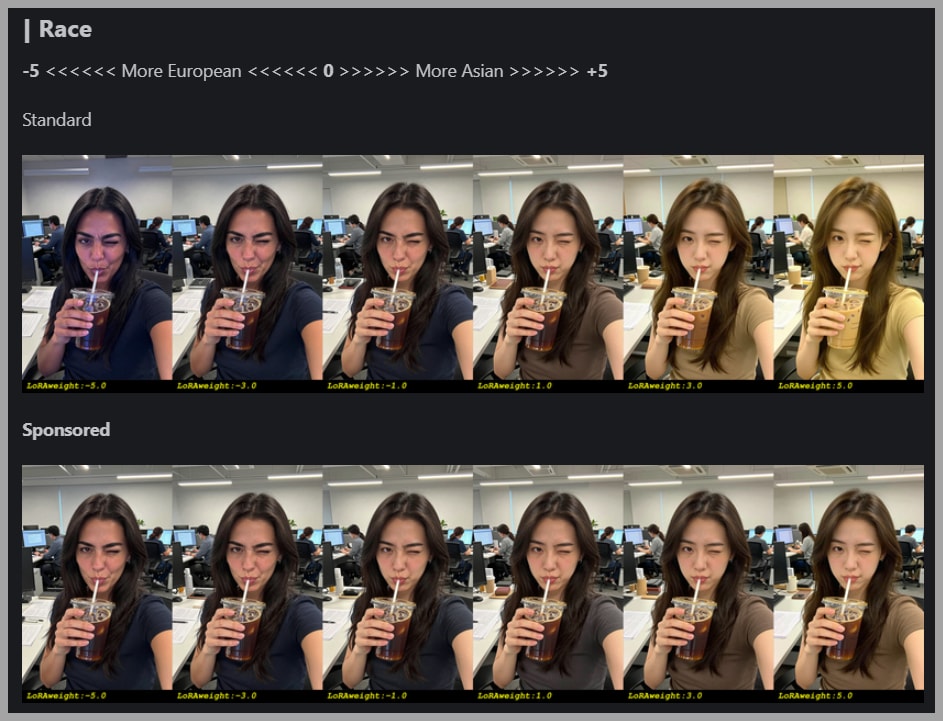
Race and Body LoRAs
- Race LoRA: Adjusts appearance from European to Asian.
- Body LoRA: Changes body shape from thin to heavy.
Other Adjustable Parameters
Additional sliders allow you to control:
- Aperture
- Image quality
- Zoom levels
- And more
This flexibility makes PhotoBox ideal for artists who need fine-tuned control over composition and subject appearance.
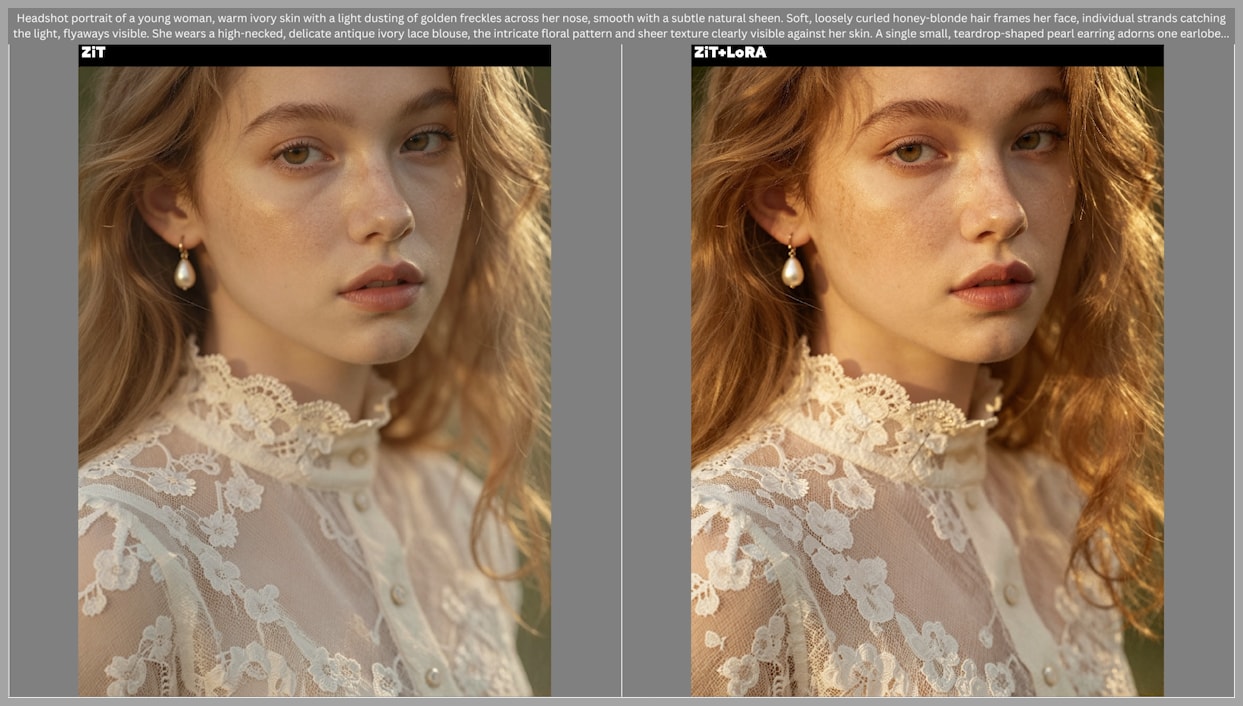
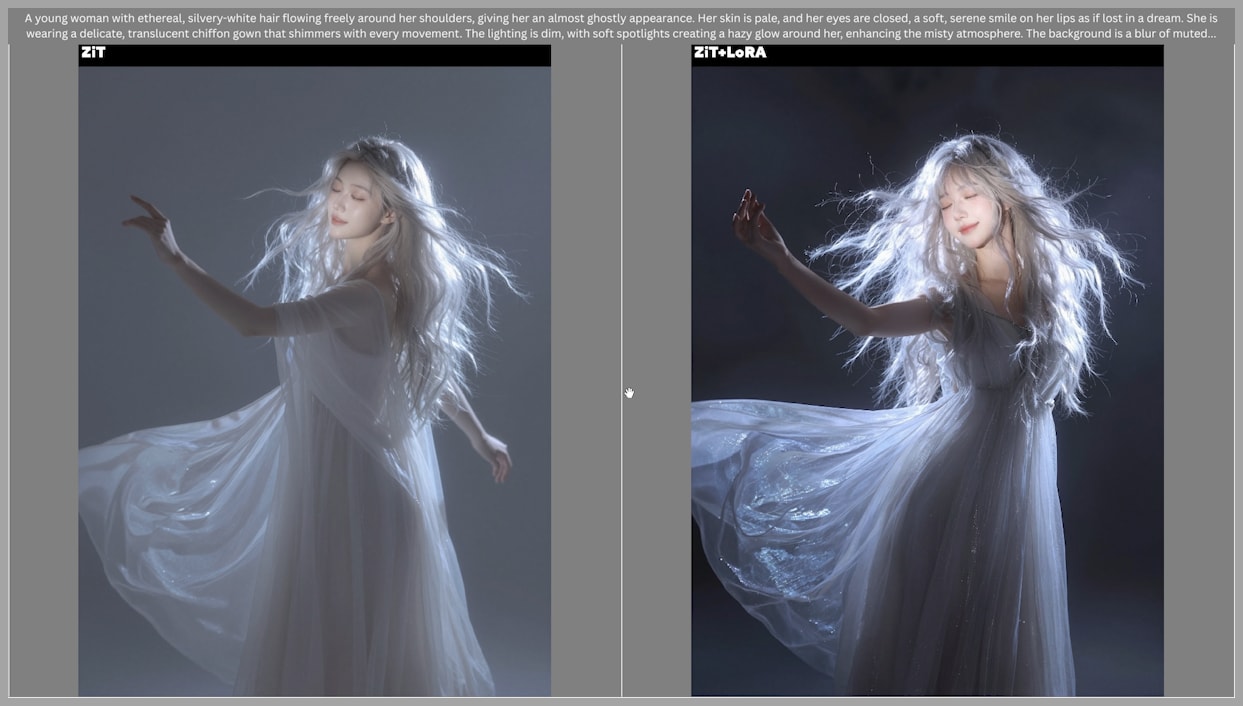
Enhancing Image Quality and Style: Turbo Flow DPO
The Z Image Turbo Flow DPO LoRA focuses on improving lighting and image quality:
- Enhances overall visual appeal.
- Subtle adjustments can improve realism without changing composition.
- Increasing LoRA strength can produce dramatic lighting effects and distinct compositions.
- Ideal for creating more dynamic, visually engaging images.
Artistic Style LoRAs
Three LoRAs stand out for artistic and stylistic modifications:
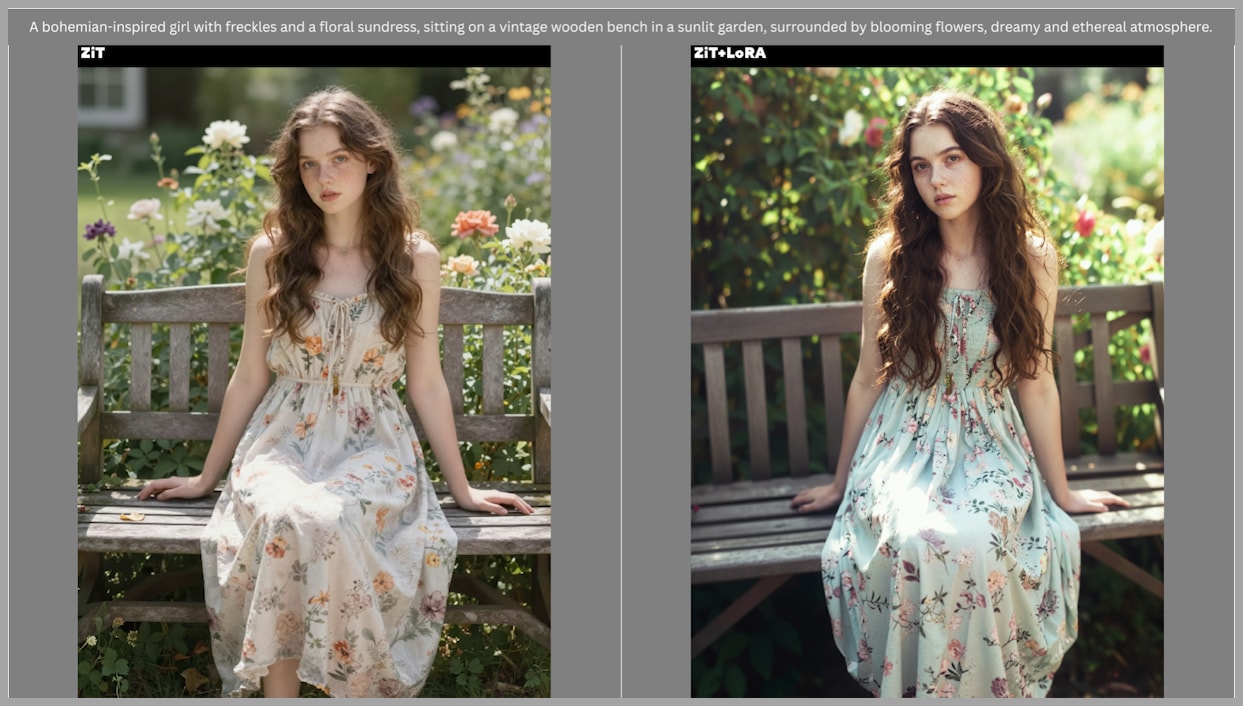
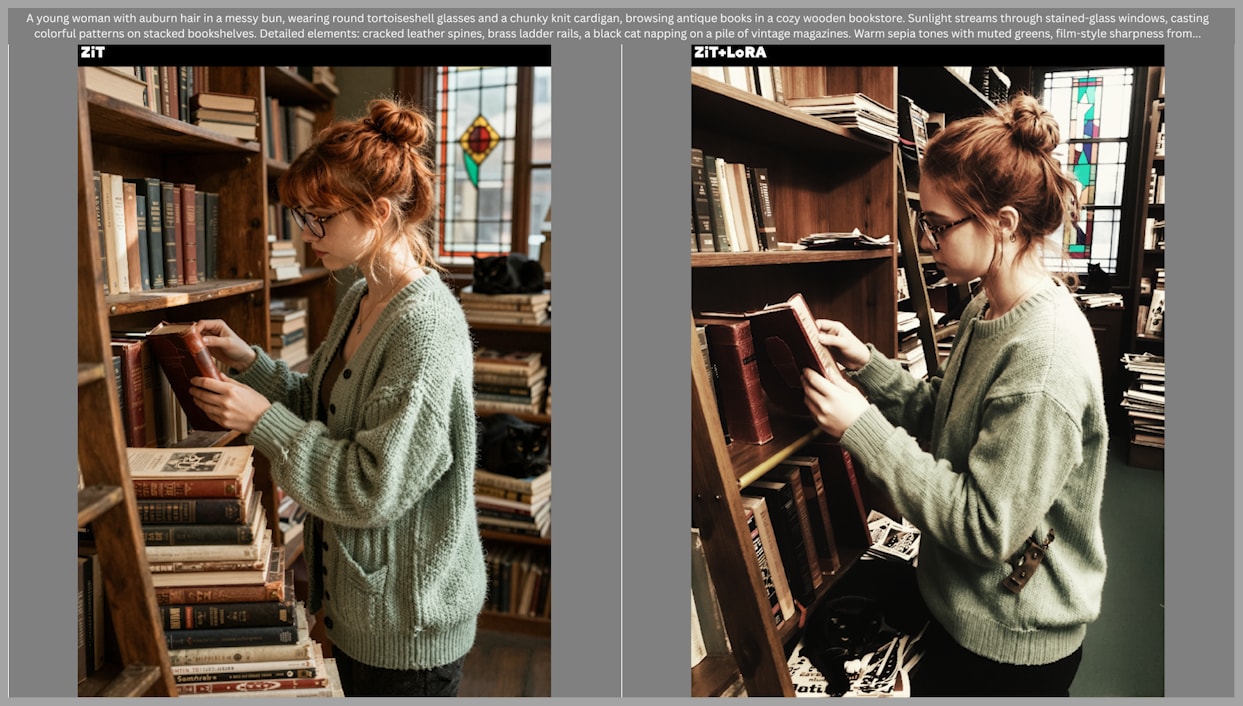
Lenovo UltraReal
- Mimics older cellphone camera characteristics.
- Effects include narrower dynamic range, brighter highlights, darker shadows, and muted colors.
- Recommended LoRA strength: 0.8–0.9.
- Note: Z Image Base version may produce occasional blur; use Turbo for clarity.
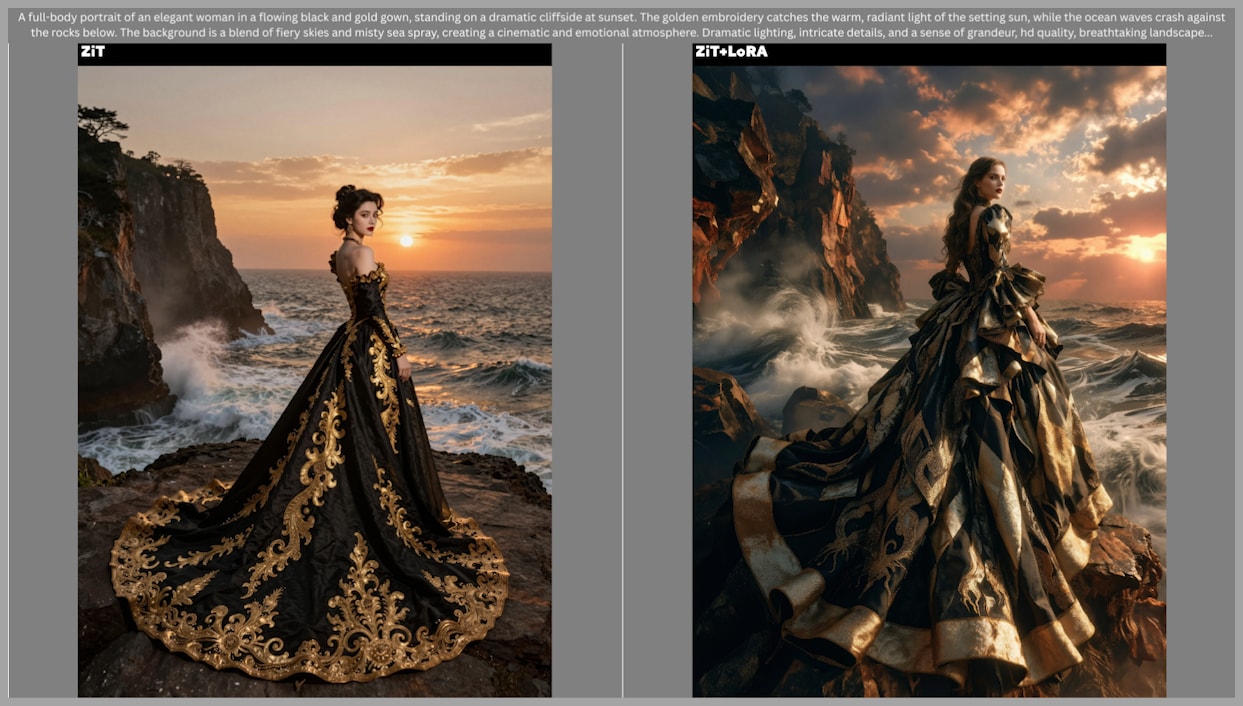
After Dark
- Focuses on low-key photography, film noir, and fashion photography.
- Highlights include:
- Strong lighting and shadow play.
- Creative depth in compositions, e.g., spreading dresses in the foreground.
- Requires specific trigger words and recommended settings.
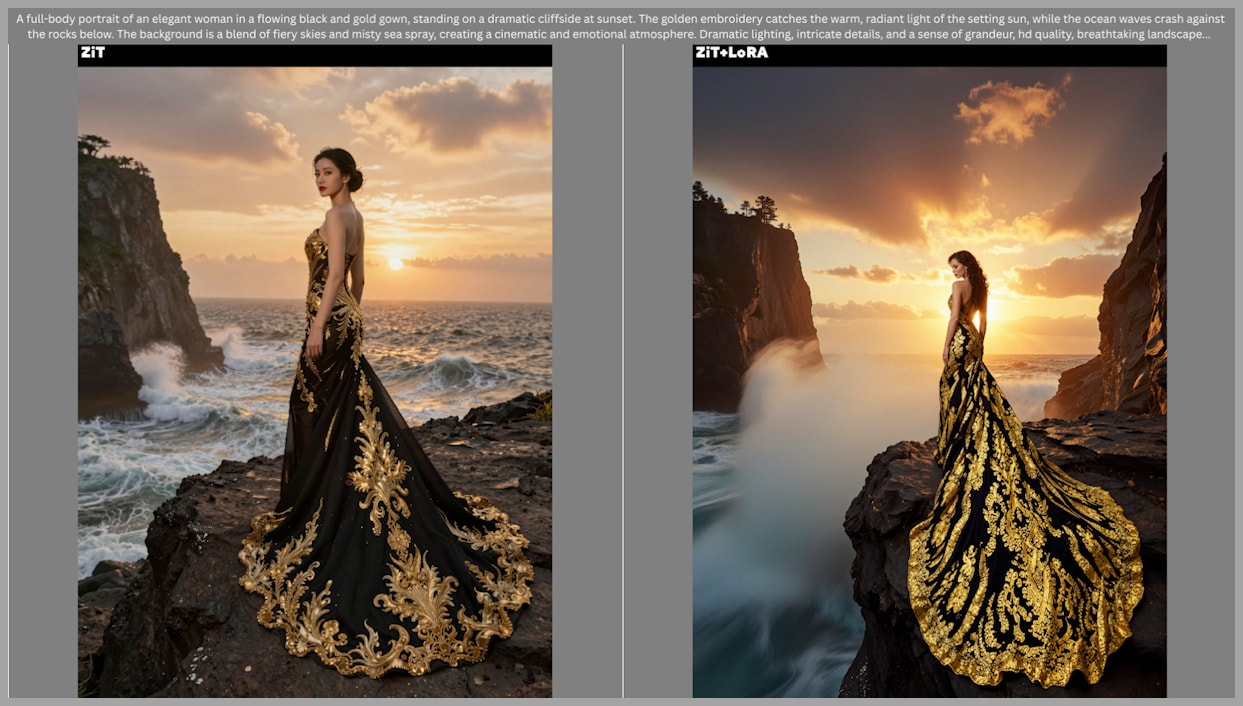
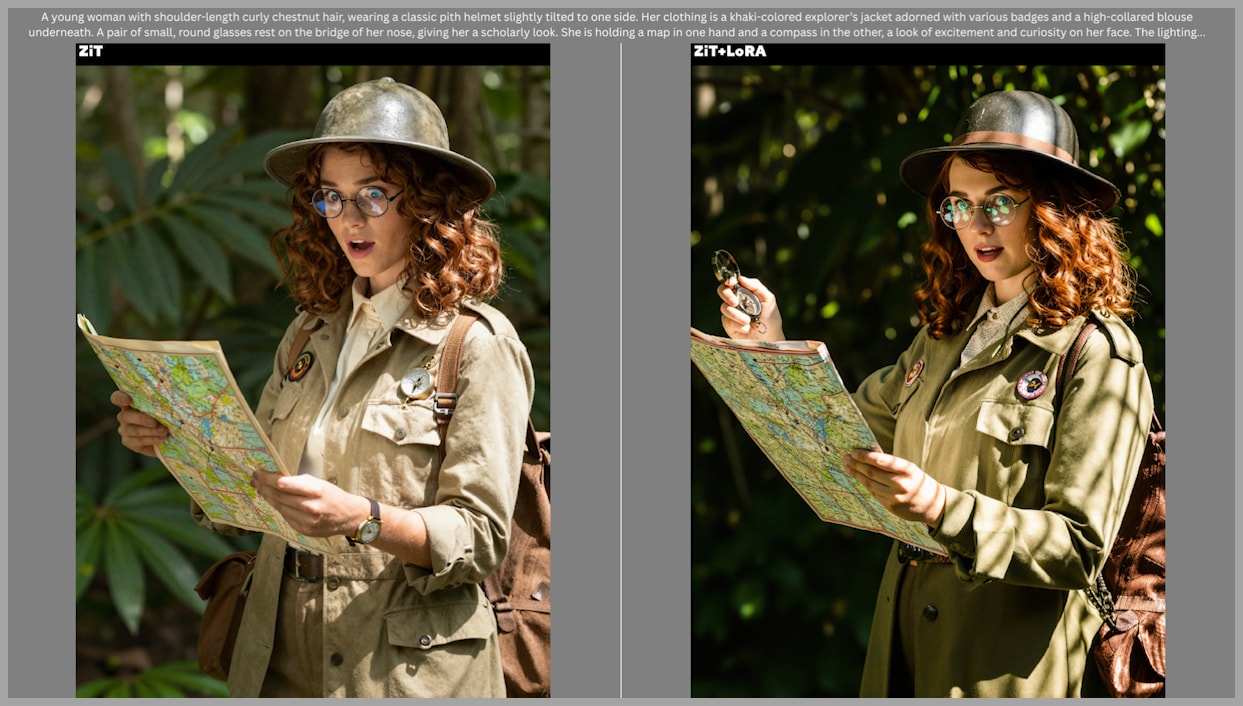
Photo Factory
- Adds cinematic, painterly effects.
- Enhances texture and visual detail, giving images a more oil painting-like feel.
- Complements After Dark by producing softer, more artistic visuals.
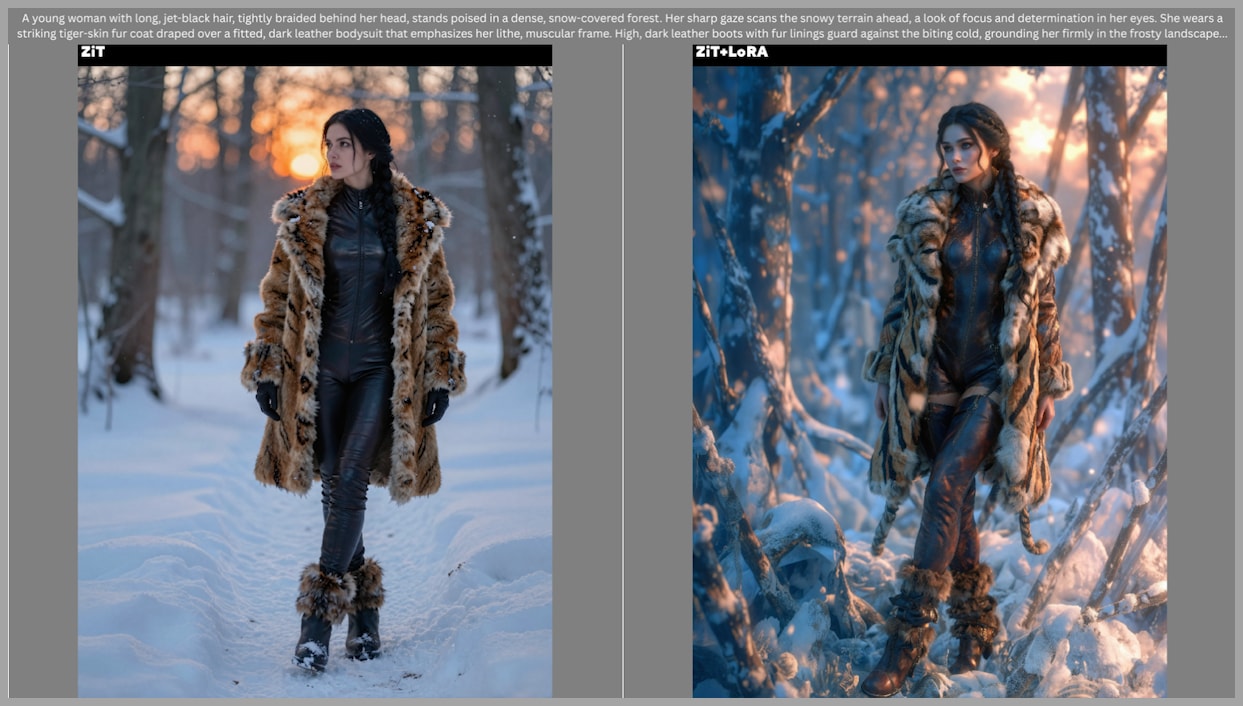
Using LoRAs to Increase Image Variety
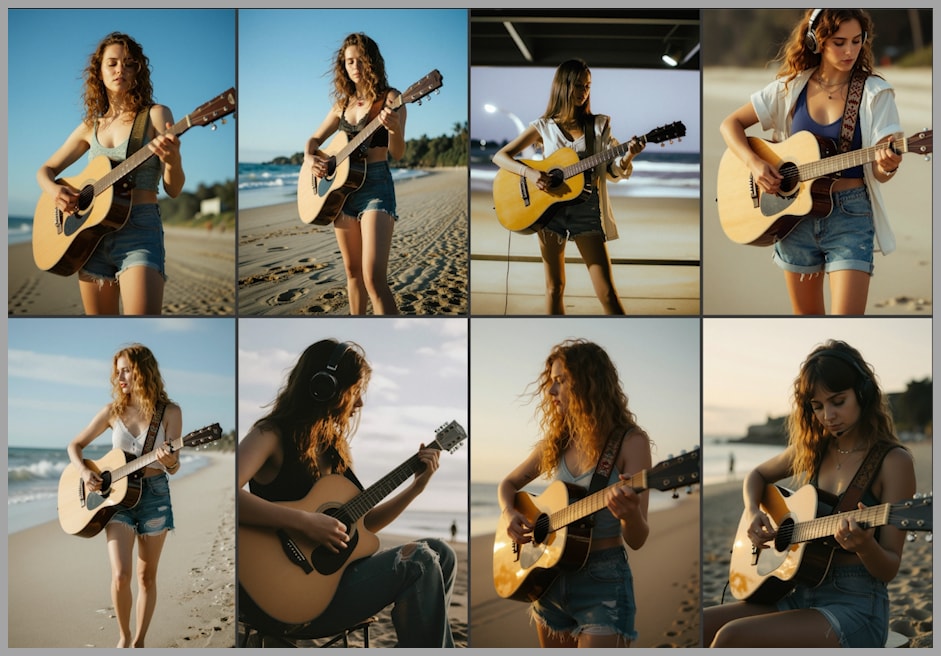
One challenge with Z Image Turbo is repetitive outputs:
- Faces, clothing, lighting, and compositions often look similar across batches.
- Applying LoRAs introduces diversity:
- Varying styles and aesthetics.
- More creative combinations of subjects and environments.
Example: Without LoRA, 8 images may appear nearly identical.
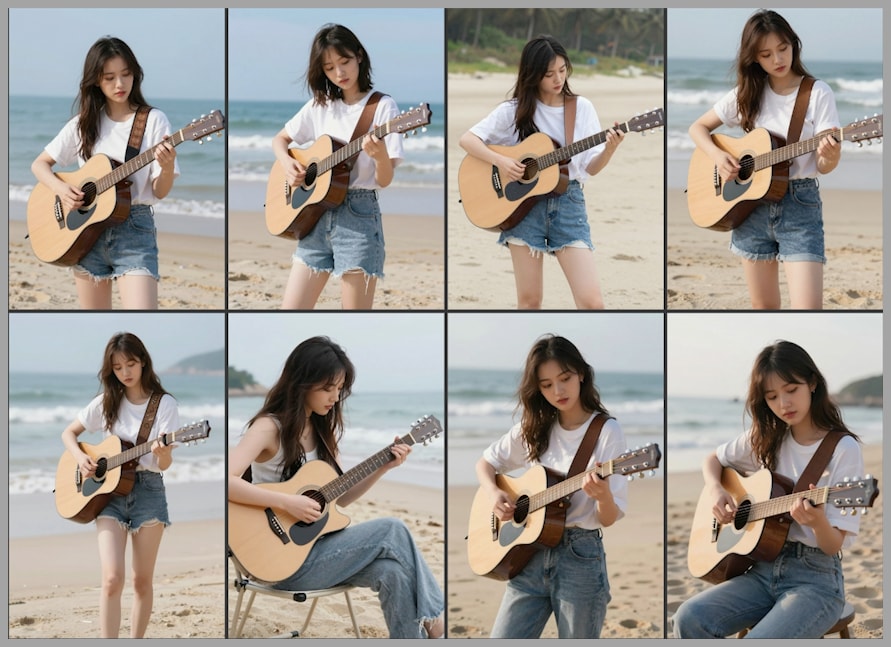
With LoRA, variety and visual interest increase significantly.
Conclusion
LoRAs are invaluable tools for optimizing both speed and creativity in Z Image workflows. Key takeaways:
- Use Distill LoRA with Z Image Base for rapid drafts and refinement.
- Apply PhotoBox sliders for precise control over angles, body, and race.
- Enhance lighting and style with Turbo Flow DPO and artistic LoRAs like Lenovo UltraReal, After Dark, and Photo Factory.
- Combine Base and Turbo models to maximize both creative diversity and high-quality refinement.
By integrating these LoRAs into your workflow, you can achieve faster, more versatile, and visually compelling image outputs. Explore these options, experiment with settings, and let your creativity flourish!