How to Dramatically Improve Image Variation in Z Image Turbo
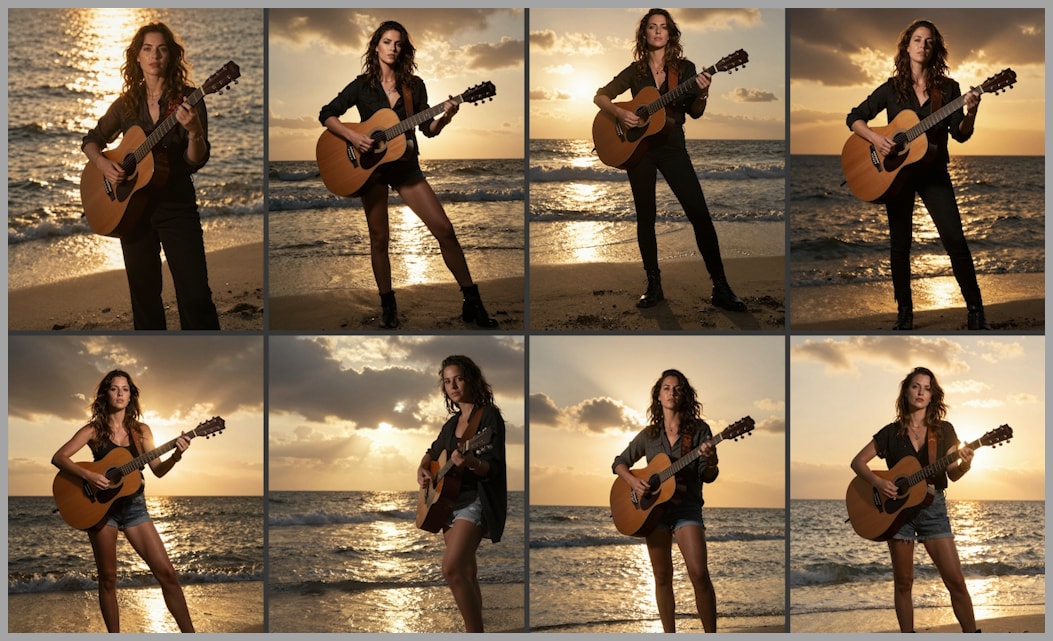
Z Image Turbo is well known for producing high-quality images with impressive sharpness and detail. However, if you have used it for a while, you have probably noticed a serious limitation: the images often look too similar. Faces repeat, styles converge, lighting stays the same, and even compositions feel recycled.
In this article, I’ll walk through why this happens, why common fixes only help a little, and how a custom ComfyUI workflow—built around Flux Schnell + Z Image Turbo—can finally deliver real, visible variation without sacrificing quality.
YouTube Tutorial:
Gain exclusive access to advanced ComfyUI workflows and resources by joining our community now!
The Variation Problem in Z Image Turbo
The core issue with Z Image Turbo is not image quality, but over-determination in the early sampling stage.
Even when you change seeds, the model tends to lock in:
- Similar facial structures
- Repeated hairstyles and clothing styles
- Nearly identical compositions and camera angles
This happens because the first sampling step decides too much of the final image content. Once that structure is fixed, later steps mostly refine details instead of introducing meaningful diversity.
Why Samplers, Schedulers, and Seeds Aren’t Enough
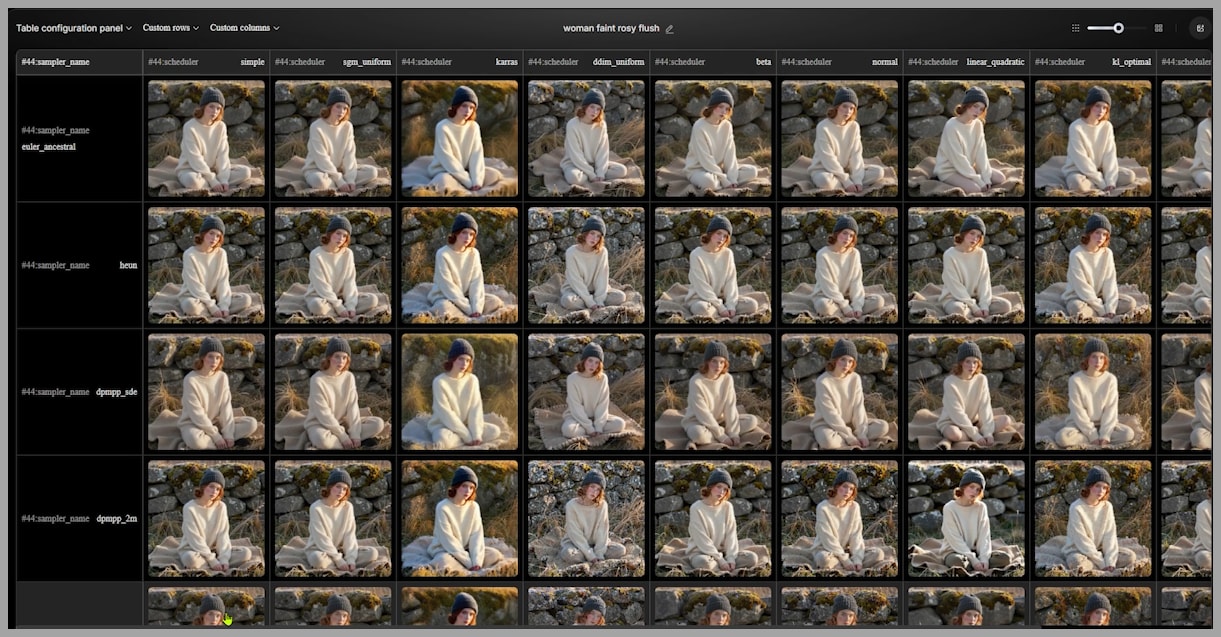
In a previous article, I tested different samplers and schedulers for Z Image Turbo. Some combinations—such as changing schedulers or lowering steps—do help slightly with variation.
However, in practice:
- Faces usually remain the same
- Overall style barely changes
- Compositions still converge
These adjustments affect how the image is refined, but they don’t fundamentally change what the model decides in the beginning. That’s why the improvement is limited.
Community Workflows: Adding Randomness at the First Sampling Step
To address this, many workflows in the ComfyUI community focus on increasing randomness during the initial sampling stage.
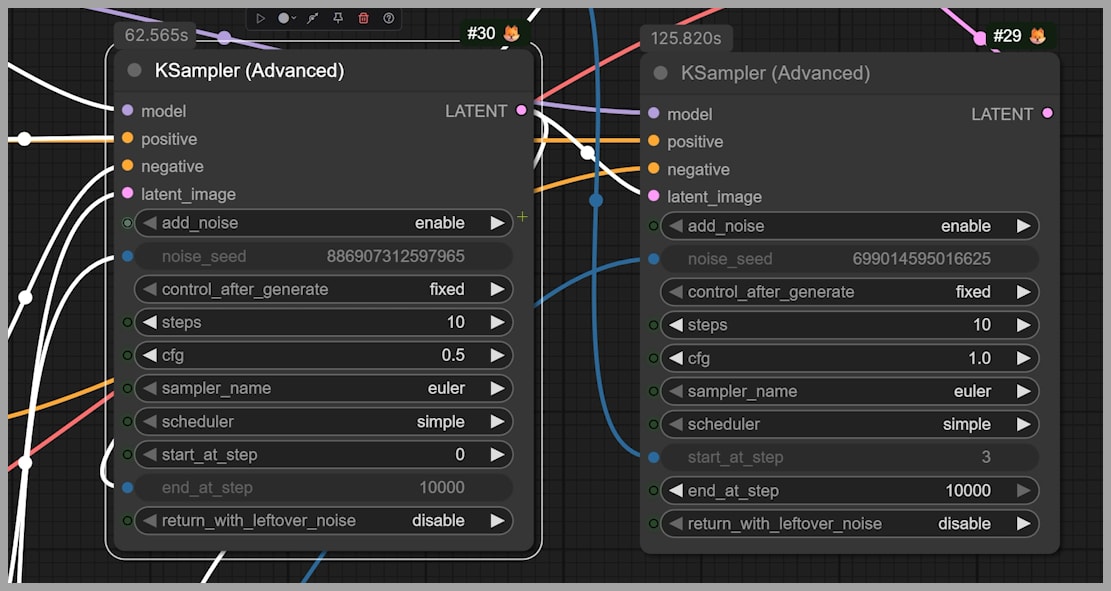
A common approach uses two advanced KSamplers:
- The first KSampler performs initial noise reduction.
- The CFG is set below 1, meaning the prompt cannot fully control the image.
- The second sampler refines the result.
Because the prompt has weaker control in the first step, the model introduces more randomness early on.
Why This Helps
This lack of prompt control is actually beneficial:
- It prevents the model from locking into the same structure every time.
- Even with the same prompt, early randomness creates more diverse foundations.
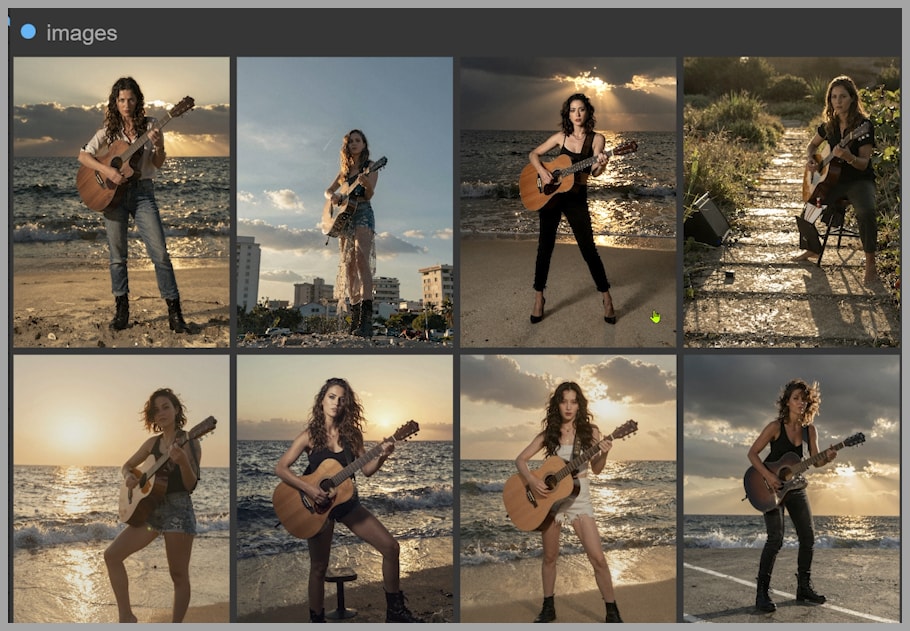
The Downside
The problem is that randomness is not selective.
You may see:
- Buildings appearing in beach scenes
- Unrelated objects that persist into the final image
- Noise artifacts on skin or limbs
- Backgrounds that no longer match the prompt
In short, the variation improves, but image coherence suffers.
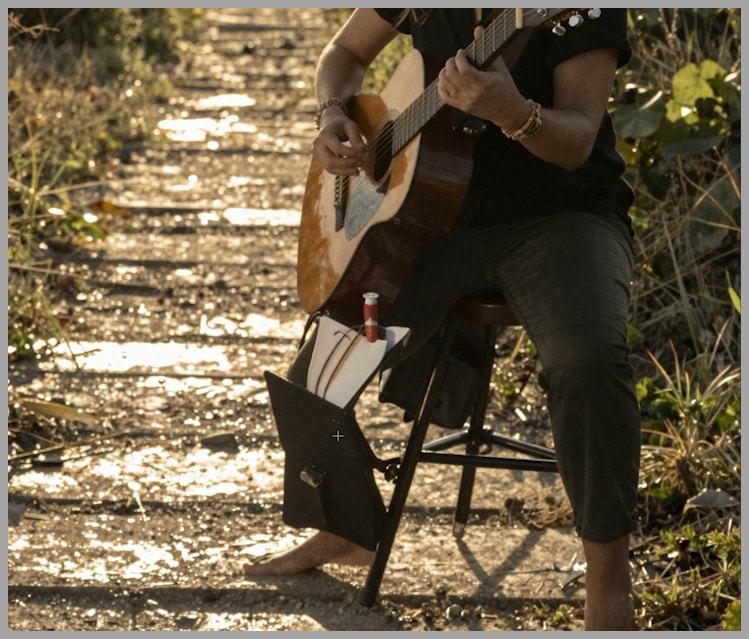
SeedVarianceEnhancer: More Controlled Noise, Limited Gains
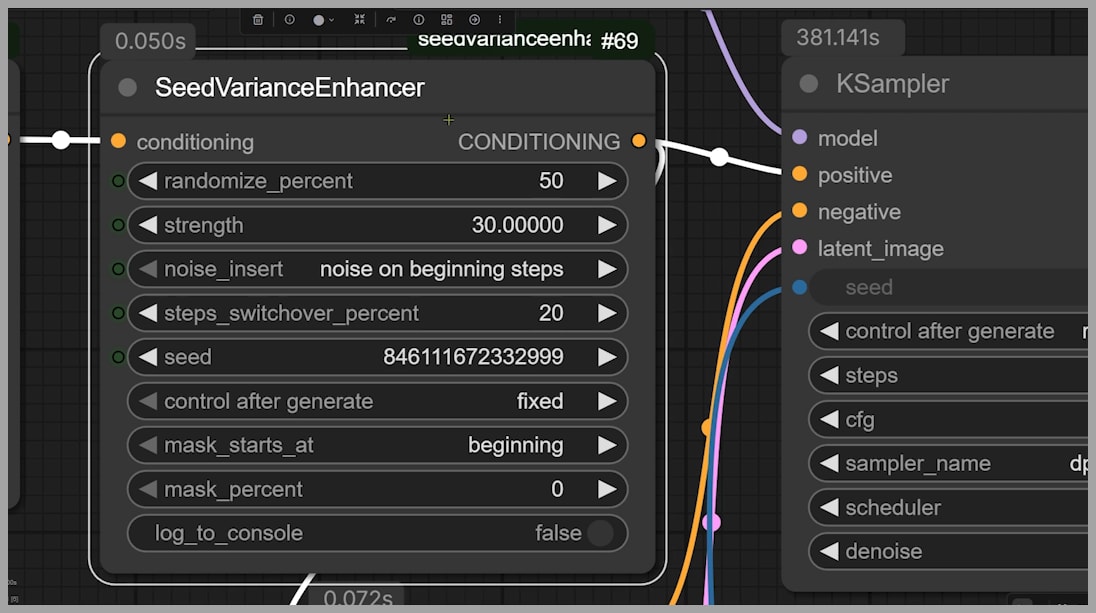
Another workflow uses a newer node called SeedVarianceEnhancer, which you can install via the ComfyUI Manager.
This approach works similarly:
- Extra noise is injected into the original latent space.
- Randomness is added during the first sampling step.
The key difference is that the injected noise is more related to the prompt, rather than completely unrelated elements.
Results in Practice
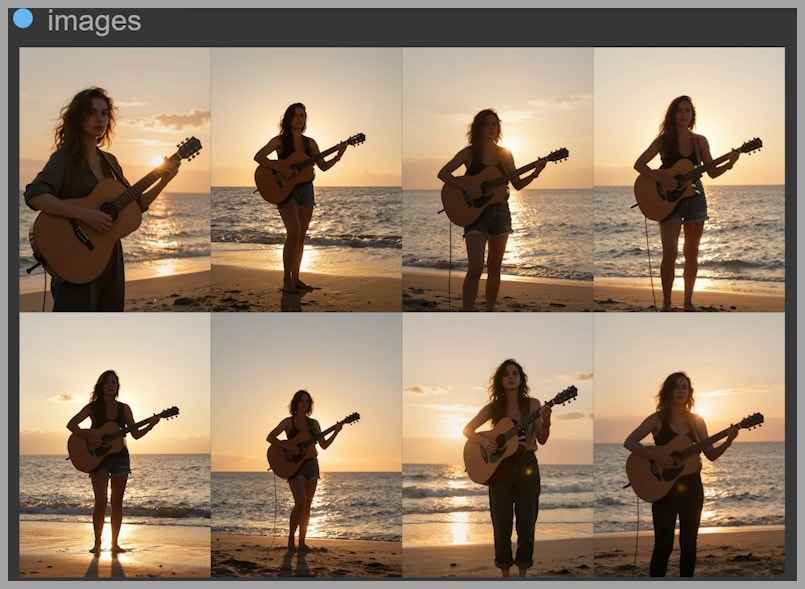
This method avoids some of the worst artifacts seen in earlier workflows. However, the improvement is still limited:
- Faces remain very similar
- Hairstyles and lighting barely change
- Clothing styles often repeat
So while this workflow is cleaner, it still doesn’t solve the variation problem in a meaningful way.
A Custom Workflow That Actually Solves the Problem
To achieve real variation, I built a workflow that changes how the initial image is generated, not just how it is refined.
The key idea is simple:
Let another model create a diverse foundation, then let Z Image Turbo improve quality.
With this workflow, the final results show:
- Clearly different faces
- Varied hairstyles and clothing
- Different poses and camera angles
The diversity is obvious even at a glance.
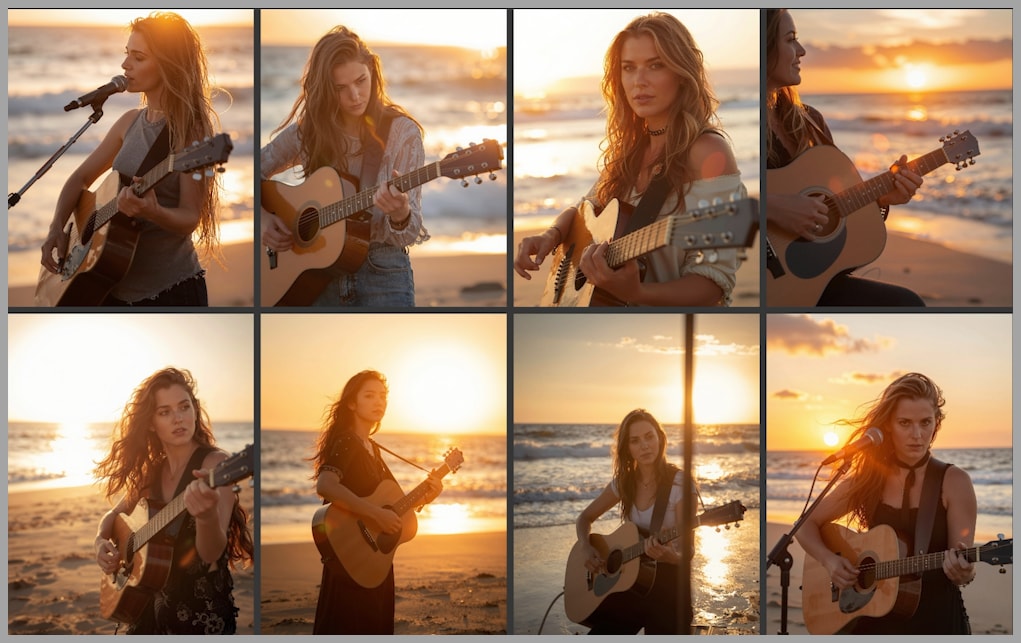
Using Flux Schnell to Boost Variation Before Z Image Turbo
The model that makes this possible is Flux Schnell.
Flux Schnell has several advantages:
- Free for commercial use
- GGUF version is lightweight (around 6 GB)
- Extremely fast—only 4 sampling steps needed
- Excellent natural variation
In my test:
- I generated 8 images in a single batch
- Total time was 49 seconds
Flux Schnell excels at producing diverse base images, even before any refinement.
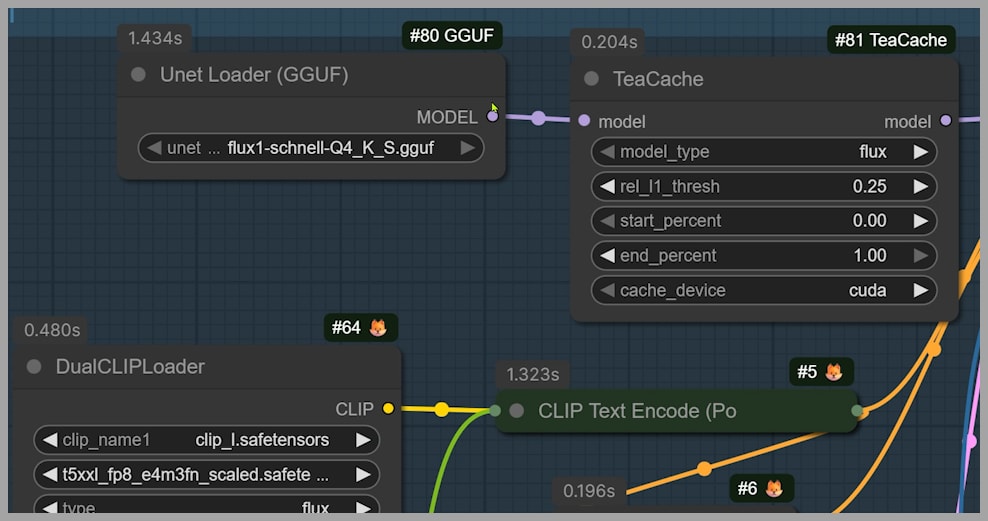
Refinement with Z Image Turbo via Shared Latent Space
The real magic happens because Flux Schnell and Z Image Turbo can share the same latent space.
Workflow Structure
- Group 1 (Flux Schnell)
- Latent resolution: 768 × 1024
- Generates diverse base images
- Group 2 (Z Image Turbo)
- Latent space is upscaled
- Final resolution: 1536 × 2048
- Z Image Turbo performs image-to-image repainting
When you compare outputs from Group 1 and Group 2:
- The images remain similar in structure
- Z Image Turbo clearly improves sharpness and detail
If you want the final images to diverge more from the base images, you can simply increase the denoising strength in the second stage.
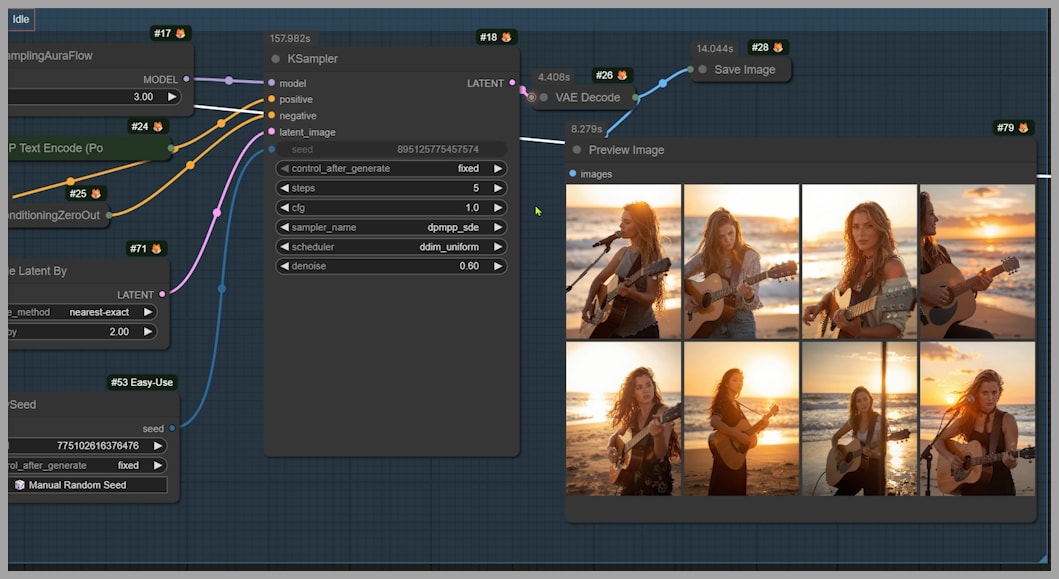
Recommended Settings for Speed, Stability, and Variation
Sampling Steps
You don’t need high step counts:
- dpmpp sde: 5 steps is enough
- res 2s: also works well at 5 steps
This significantly improves speed without hurting quality.
Sampler and Scheduler (Group 1)
For the first group, I recommend:
- Sampler: dpmpp sde
- Produces better variation than most alternatives
- Scheduler: linear quadratic
- Helps reduce issues like extra fingers or limbs
These settings strike a good balance between diversity and stability.
Conclusion and Workflow Access
Z Image Turbo’s lack of variation is not a minor tuning issue—it’s a structural problem rooted in the first sampling step.
Gain exclusive access to advanced ComfyUI workflows and resources by joining our community now!