Qwen Image Edit 2511 Deep Dive: 2511 vs 2509, Best Model Size & Settings
Hello everyone—happy new year! Qwen Image Edit has been updated to version 2511, and the obvious question is whether it’s really better than 2509. On top of that, the model now comes in multiple formats and quantizations (BF16, FP8, FP8 Lightning, GGUF Q6/Q4, plus Lightning LoRA options), which makes it tricky to know what matters for final image quality versus what mainly affects speed and VRAM.
This article turns the tutorial’s comparisons into a practical guide, using the same logic the video uses: side-by-side tests with controlled variables inside ComfyUI.
YouTube Tutorial:
Test 2511 vs 2509 Fairly
To compare model versions correctly, the workflow in the tutorial ensures:
- Two diffusion models loaded: 2511 FP8 and 2509 FP8
- Same CLIP
- Same VAE
- Same seed, enforced using an Easy Global Seed node
This matters because without matching seed + shared components, differences can come from randomness or mismatched pipelines—not the model.
Results: 2511 is more consistent and cleaner
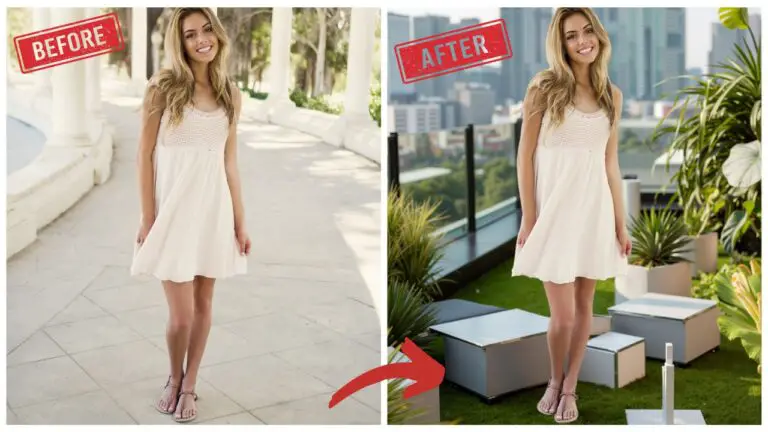
Edit task 1: “Change the style of her dress into light blue lace.”
- 2511 keeps face + hairstyle consistent, preserves identity, and maintains dress/ribbon structure closer to the original.
- 2509 changes dress shape/ribbons more aggressively, and the face appears blurrier in comparison.
Edit task 2: “Change the background into a church.”
- 2509 alters the pose more, and identity consistency breaks.
- 2511 keeps identity and edit control significantly better.
Conclusion: 2511 > 2509 for both consistency and image quality, especially for controlled edits.
Critical Nodes for Image Quality
The tutorial highlights two specific nodes recommended by the ComfyUI team:
- Edit Model Reference Method nodes (two of them)
What they do (based on observed behavior)
They prevent quality degradation and identity drift—especially noticeable with faster model variants.
The key finding
- With BF16, the output looks almost the same with or without the two nodes.
- With FP8 Lightning, the difference becomes obvious:
- Without the nodes: skin becomes “smooth” in a way that doesn’t match the original identity, and dress artifacts appear.
- With the nodes: better identity consistency and cleaner texture.
Rule of thumb: If you use Qwen Edit 2511, include the two Edit Model Reference Method nodes, especially for Lightning variants.
BF16 vs FP8: Quality vs VRAM Tradeoff
Model sizes noted in the tutorial:
- BF16: ~40.9 GB
- FP8: ~20.5 GB (about half)
What changes in results?
- In the lace dress edit test:
- Faces look basically identical
- BF16 keeps slightly more fine detail in the dress (small difference)
- In the “church background + morning sunlight” test:
- Outputs differ a lot in background and lighting despite identical prompts
- This shows a real-world truth: different formats can make different creative choices, not just quality changes.
Conclusion: FP8 is a very strong option if VRAM is limited. BF16 can be a bit more detailed, but FP8 holds up well.
BF16 + Lightning LoRA vs FP8 Lightning
Important clarification from the tutorial
- FP8 Lightning is already a Lightning model designed for 4 sampling steps
- Adding a 4-step Lightning LoRA to FP8 doesn’t make much sense because:
- It increases VRAM usage
- The LoRA is designed for BF16 (the filename even includes “bf16”)
Comparison: 4-step editing performance
- BF16 + Lightning LoRA vs FP8 Lightning
- Faces look almost identical
- Dress details differ, but neither is clearly always “better”
- With different prompts, lighting/background differs, but overall quality stays close
Conclusion: If your goal is 4-step image editing in 2511, FP8 Lightning is already enough. BF16+LoRA is optional, not required.
FP8 Lightning vs Standard FP8
This section is where many people assume “Lightning = worse,” but the tutorial shows it’s not that simple.
Observations
- In one example (lace dress):
- Standard FP8 produced a more delicate dress texture
- Faces were nearly the same
- In another example:
- FP8 Lightning looked better overall (preference-dependent)
Conclusion: FP8 Lightning is not “automatically worse.” It can be competitive or even better depending on the prompt and edit type—despite only using 4 steps.
GGUF Quantization: Q6 Good, Q4 Bad
The tutorial compares GGUF Q6 and Q4, and the verdict is blunt.
FP8 vs GGUF Q6
- In one edit, FP8 and Q6 look almost the same
- In the church + lighting task, FP8 and Q6 diverge strongly—and Q6 lands surprisingly close to BF16
When comparing directly:
- BF16 and Q6 look extremely similar
- BF16 still has the best quality, but the gap isn’t massive
Size comparison noted:
- Q6: ~16.8 GB
- BF16: ~40.9 GB
Q6 vs Q4
- Q4 is described as basically unusable
- Q6 is the practical quantized option
Conclusion:
- Choose GGUF Q6 if you want a smaller model with solid results
- Avoid GGUF Q4
Sampler and Scheduler Choices
The tutorial finishes by showing that sampler/scheduler choices can change results more than expected.
Combo 1: Euler + Simple Scheduler
This is the common baseline.
Combo 2: Euler + Flow Match Euler Discrete Scheduler
- Uses a Flow Matching approach introduced with Stable Diffusion 3 concepts
- Requires installing a custom node: Euler Discrete Scheduler via ComfyUI Manager (not built-in by default)
Result: The Flow Match Euler Discrete output looks more layered, with stronger depth.
Combo 3: ER SDE + DDIM Uniform Scheduler
Also produces strong results, with noticeable changes in composition and lighting.
Key takeaway
With three combinations side-by-side, the tutorial shows:
- Composition shifts
- Lighting changes
- Image “feel” and depth vary a lot
Recommendation: Don’t lock yourself to one combo—try multiple samplers/schedulers because the differences can be bigger than you expect.
Practical Recommendations Summary
If you want the tutorial’s conclusions as a quick decision guide:
- Best overall consistency vs 2509: ✅ 2511
- Must-have workflow detail (especially Lightning): ✅ Two Edit Model Reference Method nodes
- Best quality (VRAM-heavy): ✅ BF16
- Best balance (VRAM-friendly, strong output): ✅ FP8
- Fast 4-step editing without fuss: ✅ FP8 Lightning
- Quantized option worth using: ✅ GGUF Q6
- Avoid: ❌ GGUF Q4
- For best “look” exploration: Experiment with
- Euler + Simple
- Euler + Flow Match Euler Discrete
- ER SDE + DDIM Uniform